
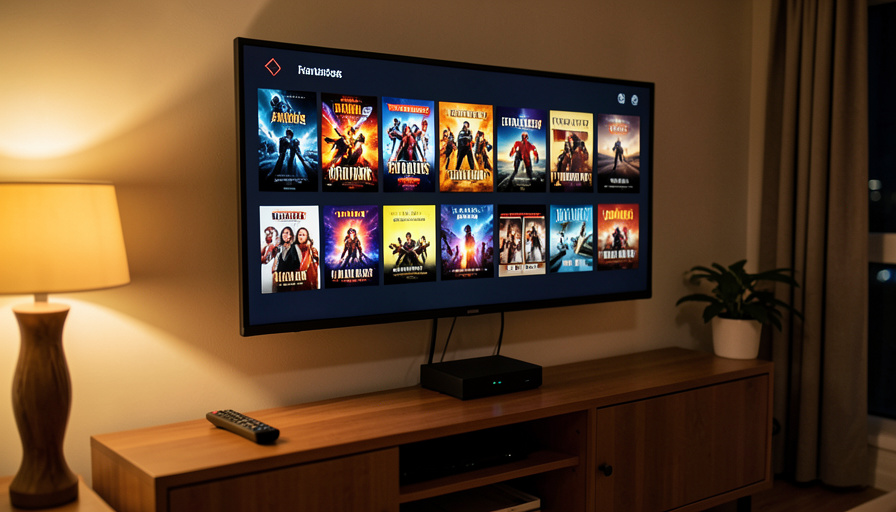
Google retired the Chromecast for an ad-heavier box. If you just want a clean device that plays your own files, here are the ad-free, local-first alternatives.
Google discontinued the Chromecast with Google TV and pointed everyone toward the pricier Google TV Streamer, whose home screen is a wall of sponsored rows and recommendation feeds you did not ask for. If you belong to the quiet camp that just wants a box to play your own movie files cleanly, without an ad surface staring back at you, that direction is the wrong one. The good news is that the ad-free, local-first alternatives are genuinely better at that job. Here is what to buy instead, and who each one is for.
At a Glance
Google retired the Chromecast with Google TV, and its replacement leans harder into ads and recommendation feeds. For the cleanest experience, Apple TV 4K is the standout, with no home-screen ads and excellent local playback through apps like Infuse and Plex. For serious local and network-drive libraries, the Nvidia Shield runs Kodi, Plex, and Jellyfin natively and handles high-bitrate files with ease. And if you want zero vendor lock-in, self-host Jellyfin and play it on whatever box you choose. You will pay more than a cheap ad-supported stick, but you get a faster, quieter experience you actually own.
Why Chromecast fans are looking elsewhere
The Chromecast with Google TV was discontinued in early 2025, ending an 11-year run, and Google now sells the Google TV Streamer in its place. The hardware is capable, but the software direction is the sticking point: the home screen pushes sponsored content and a recommendation feed built to keep you browsing, not to launch your own library. For anyone whose main use is playing local files from a USB drive or a network drive, that is friction, not a feature. The alternatives below flip the priority back to a clean interface and rock-solid local playback.
The ad-free, local-first alternatives
Apple TV 4K. The Apple TV 4K is the cleanest mainstream box you can buy, with no ads on the home screen and a fast, uncluttered interface. Local playback is excellent through apps like Infuse, Plex, and VLC. The one caveat for home-theater purists is that its HDMI audio does not bitstream formats like TrueHD or DTS, so lossless soundtracks are delivered in a compressed form.
Nvidia Shield TV and Shield Pro. The Nvidia Shield is the local-media champion. Because it runs Android TV, the official Kodi, Plex, and Jellyfin apps install straight from the Play Store, it handles high-bitrate 4K HDR files without stutter, and the Pro can even host a Plex server. Its home screen shows some sponsored rows, but they are far less aggressive and can be tamed.
A dedicated media player. Boxes from makers like Zidoo and Dune HD are built specifically for network-drive and high-bitrate playback, with full lossless audio passthrough and top-tier format support. They are niche and cost more, but for a big library of demanding files they are purpose-built in a way general streamers are not.
Kodi on a mini PC or Raspberry Pi. If you like to tinker, running Kodi on a small computer gives you a completely open, ad-free player that handles almost any format you throw at it. It takes more setup than a plug-and-play box, but nobody is monetizing your home screen.
Self-hosted Jellyfin. Jellyfin is free, open-source, and ad-free, essentially your own private Netflix for the media you own, with no subscription and no remote-access paywall. It is a server, so you pair it with one of the clients above, but it is the purest expression of a local-first, no-ads library.
The budget route. A cheap Google TV box like the Onn 4K Pro gets you familiar software for very little, and installing a custom launcher can strip out the sponsored home screen for a cleaner look. It is still Google TV underneath, so it is a compromise, but a low-cost one.
How they compare at a glance
| Option | Home-screen ads | Local playback | Best for |
|---|---|---|---|
| Apple TV 4K | None | Excellent (Infuse/Plex) | Clean, easy, premium |
| Nvidia Shield | Minimal, tameable | Best in class | Big local/NAS libraries |
| Media player (Zidoo/Dune) | None | Reference-grade | Audiophiles, huge files |
| Kodi mini PC / Pi | None | Very flexible | Tinkerers, DIY |
| Jellyfin (server) | None | Depends on client | No lock-in, no subscription |
| Onn + custom launcher | Removable | Good | Budget, Google TV feel |
So which should you get?
Match the box to how you watch. If you want a clean, fast device that just works and plays your files without fuss, get the Apple TV 4K. If your priority is a large local or network library and you do not mind a bit of tinkering, the Nvidia Shield paired with Jellyfin or Plex is the enthusiast’s answer. If you want the cheapest path to an ad-free screen, an Onn box with a custom launcher does it. And if lossless audio on a home-theater setup is the point, a dedicated media player earns its price. There is no single winner, only the one that fits your shelf.
Frequently Asked Questions
Was the Chromecast discontinued?
Yes. Google ended the Chromecast with Google TV in early 2025 after 11 years of the Chromecast line, and now sells the Google TV Streamer in its place, though existing Chromecasts still receive updates for now.
Which streaming device has no ads on the home screen?
Apple TV 4K is the standout, with a clean interface and no sponsored rows. Dedicated media players and self-hosted setups like Jellyfin and Kodi are also ad-free, while most other mainstream boxes show some ads.
What’s the best device for playing my own local files?
The Nvidia Shield, because it runs the official Kodi, Plex, and Jellyfin apps and handles high-bitrate 4K HDR without stutter. Apple TV 4K is also excellent for local playback through apps like Infuse.
Do I need a subscription for local playback?
No. Kodi and Jellyfin are free and open-source, and Plex offers free local playback. Self-hosting Jellyfin gives you an ad-free, subscription-free library of media you already own.
Apple TV or Nvidia Shield for a media library?
Apple TV is cleaner and simpler, while the Shield is the more capable local-media machine with wider format and app support. Choose Apple TV for ease, the Shield for a demanding library and tinkering.
Can I make a cheap Google TV box ad-free?
Partly. Installing a custom launcher on a box like the Onn 4K Pro replaces the sponsored home screen with a clean one. It is still Google TV underneath, but it removes the most visible ads for very little money.
What To Do Next
Start from what bothers you most about the current setup. If it is the cluttered, ad-filled home screen, the Apple TV 4K erases that instantly. If it is playing your own files smoothly, the Nvidia Shield with Jellyfin or Plex is the enthusiast’s pick, and self-hosting Jellyfin keeps the whole thing free and yours. Decide whether you value simplicity, raw local muscle, or the lowest price, and buy the box that matches, not the one an algorithm keeps recommending. For more on getting your media onto the big screen, see how to mirror your phone to a smart TV, and our guide on how to watch the 2026 Emmys.

Leave a Reply
You must be logged in to post a comment.