
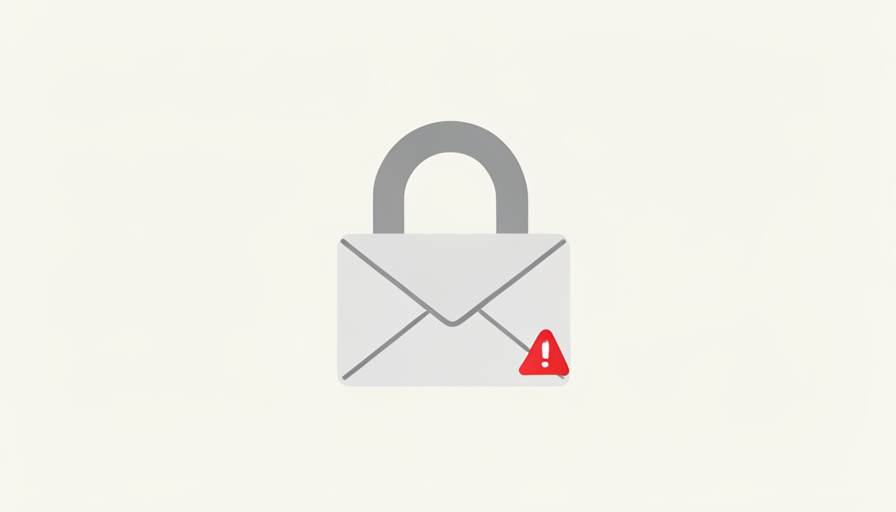
An email arrives: “Click here to reset your password.” The problem is you never asked to reset anything. It is easy to shrug off, but that message is usually a small alarm bell, telling you someone else is poking at your account. Here is what it means and what to do before it becomes a real problem.
A password reset email you did not request is one of the most common early signs that an account is being targeted. It can mean an attacker is testing stolen passwords against your login, or that the email itself is a phishing trap. Either way, it deserves a calm, deliberate response rather than a click. Here is how to read the signal and shut the attempt down.
In Brief
An unrequested password reset email usually means someone is trying to access your account, often through credential stuffing, where attackers test passwords leaked from other breaches. It can also be a phishing email designed to steal your login. Never click the link in the email itself. Go directly to the site, change to a strong unique password, and turn on app-based or security-key two-factor authentication.
What It Usually Means
In most cases, a reset email you did not trigger means someone entered your email or username on a login or reset page and asked the service to send it. That is not proof they are inside your account, but it is proof your account is on someone’s list.
There are two main possibilities. Either an attacker is actively trying to get into the real account, or the email is a fake sent to bait you into handing over your password. As security guides on what to do with these emails stress, the safe response covers both cases: treat the message as untrustworthy and act through the official site instead.
Why It Happens: Credential Stuffing
The most common engine behind these emails is credential stuffing. When a company suffers a data breach, huge lists of email addresses and passwords end up for sale. Attackers then run bots that try those same combinations across countless other sites, betting that people reuse passwords.
If one of those guesses works somewhere, the attacker may trigger a password reset to take over and lock you out, which is why the reset email lands in your inbox. The uncomfortable lesson is that a reset request for an account you did not touch often traces back to a password you used somewhere else that has since leaked. That is exactly why reusing passwords is so dangerous.
Could It Be Phishing?
The other possibility is that the email is not from the real service at all. Attackers send convincing fake reset emails, and the link leads to a lookalike login page built to capture whatever you type.
This is why the rule is absolute: never click the link in a password reset email you did not request. If you are worried about the account, open a browser or the app yourself, navigate to the site directly, and check from there. A real problem will be visible when you log in normally, and a fake email loses all its power the moment you refuse to use its link.
The MFA Prompt You Did Not Trigger
A close cousin of the reset email is the two-factor prompt you did not start. If your phone suddenly shows an authenticator approval request or a login code you did not ask for, that is more serious, because it usually means someone already has your correct password and is trying to get past your second layer.
Do not approve it. Attackers sometimes send a flood of these prompts hoping you tap approve out of annoyance, a tactic called MFA fatigue. Deny the request, and treat it as a signal to change that password immediately, because the first factor is already compromised.
What to Do Right Now
Whether the email is a real attempt or a phishing lure, the same short checklist covers you.
- Do not click the email link. Go to the site or app directly by typing the address or using your saved bookmark.
- Change to a strong, unique password. If you reused this password anywhere else, change it on those accounts too, since they are all exposed.
- Turn on strong two-factor authentication. Prefer an authenticator app or a hardware security key over SMS codes, which are weaker.
- Check active sessions and devices. Most services list recent logins and let you sign out unfamiliar sessions. Remove anything you do not recognize.
- See if your data has leaked. Check your email on a reputable breach-notification service to learn which leaks you are in, and update those passwords.
- Watch for SIM-swap signs. If your phone suddenly loses service or texts stop arriving alongside these alerts, contact your mobile carrier right away.
What Matters Most
- An unrequested password reset email usually means someone is testing or targeting your account.
- Credential stuffing, using passwords leaked from other breaches, is the most common cause.
- The email may also be phishing, so never click its link and go to the site directly instead.
- A two-factor prompt you did not start is more serious and means your password is likely already known.
- Respond by changing to a unique password, enabling app-based two-factor, and reviewing active sessions.
Frequently Asked Questions
Does an unrequested password reset email mean I’ve been hacked?
Not necessarily. It usually means someone entered your email on a login or reset page, which shows your account is being targeted but not that they are inside. If you also get two-factor prompts you did not start, that is more serious and suggests your password is already known, so change it immediately.
Should I click the link to see what’s going on?
No. Never click the link in a reset email you did not request, since it may lead to a phishing page that steals your login. Instead, open the site or app directly yourself and check the account from there. A genuine issue will be visible when you log in normally.
What is credential stuffing?
It is when attackers take email and password combinations leaked in past data breaches and use bots to try them across many other sites, betting that people reuse passwords. When a combination works, they may reset the password to take over the account, which is why you receive the reset email.
How do I stop getting these emails?
You cannot fully control who submits your email to a reset page, but you can make the attempts harmless. Use a strong unique password for each account, turn on app-based two-factor authentication, and check breach-notification services so you know which leaked credentials to change. That removes the payoff attackers are chasing.
What To Do Next
Treat an unrequested password reset email as a favor, not a nuisance. It is an early warning that someone is interested in your account while there is still time to act. Skip the link, go straight to the site, set a strong and unique password, and turn on real two-factor authentication. Do that, and the attempt that generated the email turns into a dead end instead of a break-in. For more coverage, see ShoutPost’s Tech News and Finance & Money sections.
This article is general security information, not professional advice. If you believe an account holding money or sensitive data has been compromised, contact the service’s official support and, where relevant, your bank right away.


Recent Comments