
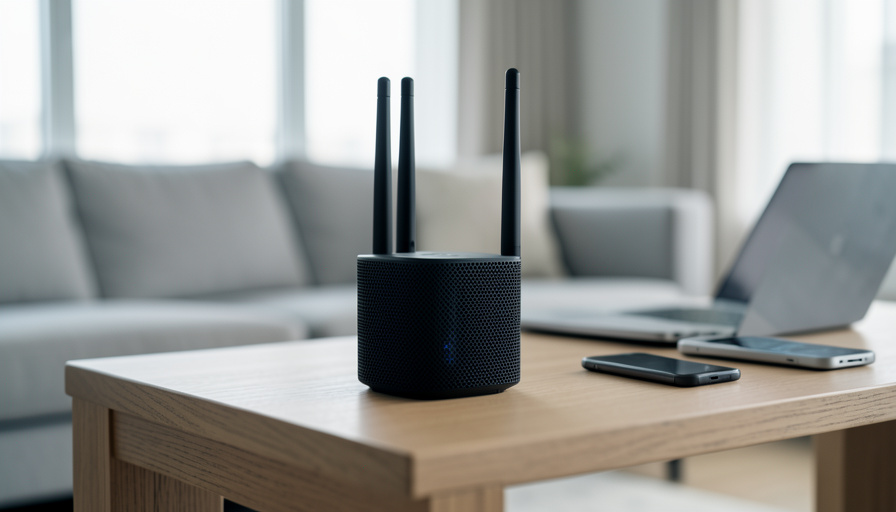
WiFi 7 routers are everywhere in 2026, but most homes won’t feel the difference yet. Eight questions tell you whether an upgrade is worth it or a waste.
Walk into any electronics store and the WiFi 7 routers sit up front with the biggest numbers and the boldest promises. The marketing is not lying, exactly. WiFi 7 really is faster on paper. The catch is that “on paper” and “in your apartment with a 500 Mbps plan and a three-year-old laptop” are two very different places, and the gap between them is where a lot of $400 routers go to feel unappreciated.
Before you upgrade, run through these eight questions. If most of your answers point one way, you will know whether WiFi 7 is a smart buy or a shelf ornament with great specs.
Bottom Line First
For most homes in 2026, WiFi 6E is still the better value, and plain WiFi 6 is fine under a gigabit. WiFi 7 earns its price when you have multi-gig internet, 20-plus active devices, heavy gaming or VR, or you are buying one router to last five-plus years. If your current network works and your devices are not WiFi 7 themselves, the upgrade mostly buys you a faster number you cannot use yet.
What WiFi 7 actually changes
WiFi 7, certified by the Wi-Fi Alliance in 2024, adds three real things over WiFi 6E: 320 MHz channels that double the width of 6E’s 160 MHz, denser 4096-QAM encoding, and Multi-Link Operation, or MLO. MLO is the one that matters most day to day, because it lets a device use two or three bands at once, so if the 6 GHz band hits interference, traffic slides to 5 GHz without a dropped connection.
The payoff in a real home is lower latency and steadier connections in crowded conditions, not a magic doubling of your internet speed. And every one of those headline features needs a WiFi 7 device on the other end to work at all.
8 questions to ask before you upgrade
1. How fast is your actual internet plan?
WiFi cannot deliver more than your internet plan brings in. On a 300 or 500 Mbps connection, WiFi 6 already has headroom to spare, and WiFi 7 changes nothing about the speed that reaches your house. The router only matters above roughly a gigabit.
2. Do your phones and laptops support WiFi 7?
MLO, 320 MHz, and 4K-QAM all require WiFi 7 clients. If your laptop is WiFi 6 and your phone is a couple of years old, a WiFi 7 router talks to them in WiFi 6. As one r/HomeNetworking regular put it, if your devices cannot handle it, WiFi 7 is a waste of money for now.
3. What are you actually trying to fix?
Name the problem before buying the cure. Dead zones in a back bedroom are a coverage problem that a new standard does not solve; a mesh node or better placement does. Buffering on one device is often that device. Only raw throughput and congestion are things a newer standard genuinely helps.
4. Could an Ethernet cable solve it better?
For a gaming PC, a desktop, or a TV that sits in one place, a $10 Ethernet cable beats any router upgrade for stability and latency. Wired is still the fastest, most reliable connection in the house, and it is the fix experienced users recommend first, before spending on wireless gear.
5. Do you have multi-gig internet or gear that needs it?
WiFi 7’s ceiling only matters if the wires can feed it. That means multi-gig internet and a router with 2.5G or 10G Ethernet ports. Pairing a WiFi 7 router with a gigabit plan and 1G ports leaves most of what you paid for switched off.
6. If you use mesh, is the backhaul wired or wireless?
Mesh systems lose a big share of their speed when nodes talk to each other over the air instead of a cable. A wireless-backhaul mesh will bottleneck long before WiFi 7’s radios do, so running Ethernet between nodes matters more than the standard on the box.
7. Is your ISP gateway in the way?
If your internet provider’s modem-router combo is still doing the routing, you can end up with double NAT and lost features. Confirm you can put the ISP box in bridge or passthrough mode before you count on a new router to run the show.
8. Are you buying to last five years?
This is the one honest reason most people have to buy WiFi 7 today. If you replace a router roughly once every five years, buying the current standard now means your devices grow into it. As a forward investment it makes sense. As a fix for tonight, it usually does not.
Who should actually upgrade
Sort yourself into one of these two columns and the decision makes itself.
| Upgrade to WiFi 7 if | Stick with WiFi 6 / 6E if |
|---|---|
| You have multi-gig internet (above 1 Gbps) | Your plan is under a gigabit |
| 20-plus devices compete during peak hours | You run a handful of devices |
| You game competitively or use VR wirelessly | Your gaming rig can use Ethernet |
| You want one router to last five-plus years | Your current network has no real problems |
The cheaper fixes people skip
Before the $400 router goes in the cart, the boring options solve most complaints for less. Run an Ethernet cable to whatever sits still. Move the router out of the cabinet and up off the floor. Add a single mesh node for a dead zone. If you truly need more capacity, a good WiFi 6E router costs well under a WiFi 7 flagship and covers the vast majority of homes through the rest of the decade. Spend on the standard when your internet and your devices can actually use it, not before.
Frequently Asked Questions
Is WiFi 7 worth it in 2026?
For multi-gig internet, very busy networks, or five-year future-proofing, yes. For a typical home under a gigabit with mostly WiFi 6 devices, WiFi 6E remains the better value and WiFi 7’s advantages stay mostly theoretical.
Will WiFi 7 make my internet faster?
Not beyond your plan. WiFi 7 can move data faster inside your home and handle congestion better, but it cannot deliver more speed than your internet service provides.
Do I need new devices to benefit from WiFi 7?
Yes for the marquee features. MLO, 320 MHz channels, and 4K-QAM only work with WiFi 7 clients. Older phones and laptops connect at their own standard, so the router’s best tricks sit idle.
WiFi 7 or a mesh system for dead zones?
Mesh, usually. Dead zones are a coverage problem, and adding a node, ideally with a wired connection back to the router, fixes them more reliably than a faster single router in the same spot.
Is wired Ethernet still better than WiFi 7?
For anything stationary, yes. Ethernet gives lower latency and steadier speeds than any wireless standard, which is why gamers and remote workers wire their main machines whenever they can.
How much does a WiFi 7 router cost?
Commonly $300 to $600 or more for capable models in 2026, versus noticeably cheaper WiFi 6E routers. The price gap is a big part of why the upgrade only pays off for the right setup.
Closing Thoughts
WiFi 7 is a genuine step forward, and in a few years it will be the obvious default. Today, in a normal home on a normal plan, the standard on the box is rarely the thing holding your network back. Answer the eight questions honestly, wire what you can, and buy WiFi 7 when your internet and your devices are ready to use it, not because the store put it up front. For another home-tech buying question, see what a dishwasher warranty actually covers, and browse more in ShoutPost’s Tech News section.


Leave a Reply
You must be logged in to post a comment.