
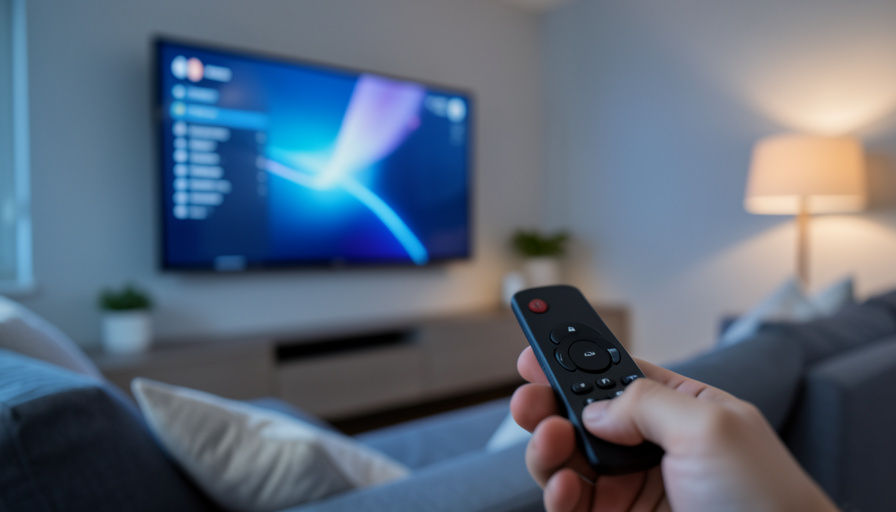
The microphone in your smart TV is the part people fear, but it is not the part quietly collecting the most about you. Here’s what to actually worry about, and fix.
Every year the same worry resurfaces: is my smart TV listening to me? It is a reasonable question, because many TVs now ship with Alexa, Google Assistant, or Bixby built in, and some have far-field microphones designed to hear you from across the room. But the microphone is mostly a controllable, wake-word feature, and it is not where most smart TVs do their quiet data gathering. The bigger privacy story is what your TV records about your viewing, not your voice. Here is how the mic actually behaves, the tracking you should be more concerned about, and how to shut down both in a few minutes.
In Brief
Your smart TV’s microphone generally listens only for a wake word or a remote button, and it streams audio to the cloud after that trigger, with snippets saved to your voice history unless you turn it off. That is real but manageable, and you can mute or disable the mic entirely if you do not use voice control. The quieter, bigger issue is Automatic Content Recognition, or ACR, which identifies what is on your screen and is switched on by default on most major brands. So worry less about the mic and more about ACR: disable viewing-data collection, delete your voice history, and re-check both after firmware updates, since privacy toggles can reset.
How the microphone actually works
Start with what the mic really does, because the reality is calmer than the headlines. Voice control comes in two forms. A push-to-talk remote only listens while you hold the button, so it is idle the rest of the time. A far-field microphone built into the TV listens locally for a wake word so you can speak from across the room, and in normal operation it streams audio to the cloud only after that wake word is detected. Once it does, short recordings of your commands are typically saved to your voice history with the assistant provider, and may be used to improve the service unless you opt out. That is the honest picture: triggered, cloud-processed, and adjustable, not a hidden always-on recorder.
The bigger privacy issue is not the mic
Here is what deserves more of your attention. Automatic Content Recognition works by sampling what is on your screen, audio or images, and matching it to a database to identify exactly what you are watching, and it does this regardless of the source, whether streaming, cable, a game console, or a disc. Most major brands collect this viewing data by default and can tie it to an advertising profile. This is not hypothetical: in 2017, Vizio paid $2.2 million to settle FTC charges that it collected and sold the viewing histories of 11 million televisions without consent. The microphone waits for a wake word, but ACR runs quietly in the background, which is why it, not the mic, is the setting most worth turning off.
What your smart TV actually collects
Three streams of data are worth knowing about. First, voice recordings, but only the commands captured after a wake word or button press, saved to your assistant account. Second, viewing data through ACR, a detailed record of what plays on the screen, gathered by default on most sets. Third, the profile built from both, linking your habits to advertising and recommendations. The mic is the narrowest of the three and the one you actively invoke. The viewing data is the broadest and the one collected without you doing anything, which flips the usual worry on its head.
How to lock down your smart TV
A few minutes in the settings covers most of it.
- Disable or mute the mic if you do not use it. Many TVs and remotes have a physical mute switch or a settings toggle. If you never talk to your TV, turn it off entirely.
- Delete your voice history. In your Amazon, Google, or Samsung account, clear saved voice recordings and turn off using them to improve the service.
- Turn off ACR and viewing data. Look for settings named ACR, Viewing Information Services, Live Plus, Samba, or similar, and switch them off. Consumer Reports keeps a practical guide to turning off smart TV snooping features by brand.
- Re-check after firmware updates. Updates can quietly re-enable privacy toggles, so revisit these settings every so often rather than assuming they stayed off.
- Prefer the button over the panel mic. If your TV supports a push-to-talk remote, use it, so the microphone is only active when you choose.
Frequently Asked Questions
Is my smart TV always listening to me?
A far-field mic listens locally for a wake word, and a remote mic only listens when you press the button. Audio is streamed to the cloud after the trigger, not continuously. If you do not use voice control, you can disable the mic entirely.
What is ACR on a smart TV?
Automatic Content Recognition identifies what is on your screen by sampling audio or images and matching them to a database, regardless of the source. It runs by default on most brands and is the main way smart TVs track your viewing for advertising.
Should I be more worried about the mic or ACR?
ACR, in most cases. The microphone activates on a wake word or button and can be turned off, while ACR collects your viewing data quietly and by default. Disabling ACR usually does more for your privacy than muting the mic.
How do I delete my smart TV voice recordings?
Voice history is stored with the assistant provider, so sign in to your Amazon, Google, or Samsung account and delete saved recordings there. While you are in, turn off any option to use your voice data to improve the service.
Do privacy settings stay off after an update?
Not always. Firmware updates can reset or re-enable some privacy toggles, so it is worth re-checking your ACR and microphone settings periodically rather than assuming they remained disabled.
Does turning off the mic break my TV?
No. You lose hands-free voice commands, but every other function works normally. If you rely on voice search, keep it on and simply delete your history and disable data sharing instead.
What This Means
The scary version of the smart TV story focuses on the microphone, but the mic is the part you control: it waits for a trigger, you can see when it is active, and you can switch it off. The part that actually collects the most, quietly and by default, is ACR viewing tracking, which is why the smartest move is to turn that off first. Disable ACR, delete your voice history, mute the mic if you do not use it, and check those settings again after each firmware update. Do that, and your TV goes back to being a screen, not a data source. For more, see how to mirror your phone to a smart TV and what an unrequested password reset email is really telling you.


Leave a Reply
You must be logged in to post a comment.