
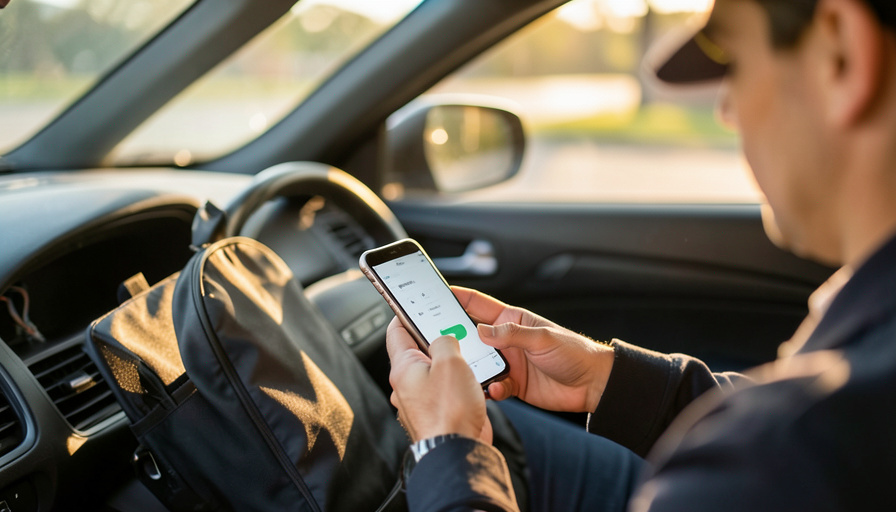
QuickBooks Self-Employed is gone. If you mainly need a defensible mileage log and captured receipts, these alternatives do it cheaper, some for free.
If you have been reaching for QuickBooks Self-Employed and hitting a wall, you are not imagining it. Intuit closed it to new sign-ups and is moving everyone to a pricier replacement. For gig workers, that shake-up is actually a good moment to reassess, because most drivers and couriers do not need a full accounting suite. They need two things done well: a mileage log that would survive an audit and receipts captured before they fade in a cup holder. Here are the alternatives that nail exactly that, and who each one fits.
The Short Version
QuickBooks Self-Employed was discontinued, and Intuit’s own replacement is QuickBooks Solopreneur at around $20 a month. If your real need is mileage plus receipts, cheaper focused apps handle it well. Everlance and Hurdlr each combine automatic mileage, receipt capture, and tax estimates for roughly $9 to $10 a month, Stride does mileage and expenses for free if you do not mind tapping start and stop, and MileIQ is excellent at automatic mileage though you will pair it with a receipt app. Whatever you pick, the IRS wants a contemporaneous, timestamped log, so automatic GPS tracking is worth paying for.
Why gig workers are switching now
Intuit launched QuickBooks Solopreneur as the successor to Self-Employed and stopped selling the old product to new users, with existing subscribers migrated over. Solopreneur is a capable tool, but at roughly $20 a month it costs more than many gig workers want to spend on bookkeeping they barely touch. That price bump is pushing drivers to look at focused apps built around the two deductions that actually move the needle for them: the miles they drive and the expenses they rack up. Get those two documented cleanly and you have covered most of what a self-employed tax return needs.
The alternatives, and who each is for
QuickBooks Solopreneur: the official successor. If you want to stay in the Intuit world and value a single tool that does mileage, receipts, and light bookkeeping with a clean path to filing, Solopreneur is the natural landing spot. The trade-off is price, since it runs about $20 a month, the most expensive option here.
Everlance: the all-in-one for most drivers. Everlance combines automatic mileage tracking with receipt capture and bank syncing in one app, so drives and expenses land in the same place. At around $9 a month, with a limited free tier, it is the balanced pick for gig workers who want mileage and receipts without extra tools.
Hurdlr: the tax-forward option. Hurdlr tracks mileage, income, and expenses while showing real-time tax estimates, which is genuinely useful if quarterly taxes catch you off guard. It runs about $10 a month, and its habit of auto-classifying every trip as business means you will re-check some drives.
Stride: the free choice. Stride charges nothing, with no drive limits, and still produces IRS-style mileage logs alongside expense tracking. The catch is manual start and stop on each trip, which is easy to forget mid-shift. For weekend or part-time drivers, free plus a little discipline is a great deal.
MileIQ: the automatic mileage specialist. MileIQ is the smoothest at capturing drives automatically, presenting each one as a card you swipe to classify. It is mileage-first at about $14 a month, so pair it with a dedicated receipt app if expense capture matters to you.
How they compare at a glance
| App | Price / month | Auto mileage | Receipt capture | Best for |
|---|---|---|---|---|
| QuickBooks Solopreneur | ~$20 | Yes | Yes | Staying with Intuit, all-in-one |
| Everlance | ~$9 (free tier) | Yes | Yes | Balanced mileage + receipts |
| Hurdlr | ~$10 | Yes | Yes | Real-time tax estimates |
| Stride | Free | Manual start/stop | Yes | Part-time, budget drivers |
| MileIQ | ~$14 | Yes | Add-on needed | Automatic mileage, minimal fuss |
Prices shift, so confirm the current rate and free-tier limits before you commit.
What the IRS actually wants
Whatever app you choose, it needs to produce the documentation that holds up. For a mileage deduction, the IRS expects a log with the date, the miles, and the business purpose of each trip, and its guidance on business use of a car spells out the standard-mileage and actual-expense methods. For your other write-offs, keep the receipts and records behind them, which the IRS recordkeeping guidance lays out. The key word in an audit is contemporaneous, meaning records created as you go, not reconstructed months later, which is exactly why an app logging timestamped GPS in real time is your strongest defense.
This article is general information, not tax or financial advice. Tax rules and mileage rates change, and your situation is unique, so confirm the current standard mileage rate and consult a qualified tax professional about your own deductions and recordkeeping.
Frequently Asked Questions
Is QuickBooks Self-Employed really discontinued?
Yes. Intuit stopped selling it to new users and replaced it with QuickBooks Solopreneur, migrating existing subscribers over. New sign-ups are routed to Solopreneur, which costs more than the old product did.
What is the cheapest QuickBooks Self-Employed alternative?
Stride is free with no drive limits and still logs mileage and expenses. The trade-off is manually starting and stopping each trip, which suits part-time drivers more than full-time ones.
Which app is best for both mileage and receipts?
Everlance and Hurdlr both combine automatic mileage with receipt capture in one app. Everlance leans toward simple all-in-one tracking, while Hurdlr adds real-time tax estimates.
Do I need automatic mileage tracking?
It helps a lot. The IRS looks for contemporaneous logs, and automatic GPS tracking timestamps each drive as it happens, which is far more defensible than numbers you reconstruct at tax time.
Can I just use a spreadsheet for mileage?
You can, and a consistent one can meet the requirements, but it relies on you logging every trip immediately. An app removes that discipline problem by recording drives automatically in the background.
Will switching apps lose my old QuickBooks data?
Export your data from QuickBooks before you leave, including mileage and expense reports, so you keep a clean record. Most alternatives let you import or at least store a backup for your files.
The Bottom Line
Losing QuickBooks Self-Employed is not the setback it feels like, because most gig workers were paying for more than they used. Decide what you truly need: if it is mileage plus receipts, Everlance or Hurdlr covers both affordably, Stride does it for free with a bit of effort, and MileIQ wins on hands-off mileage. Match the tool to how you drive, make sure it logs in real time, and keep your receipts, and you will walk into tax season with documentation that actually protects you. For more on managing uneven pay, see our guide to budgeting on an irregular income and these apps to manage your money.




Leave a Reply
You must be logged in to post a comment.