
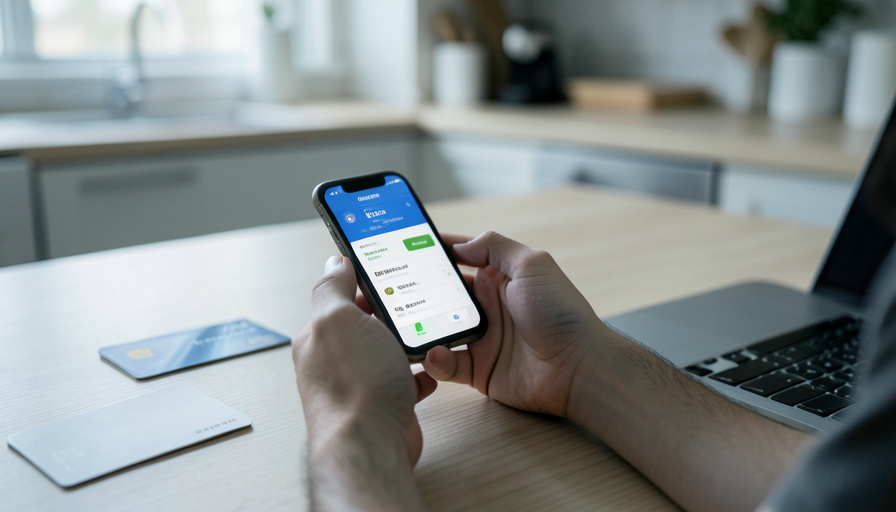
If you send money on Zelle every week, switching banks has two traps that can freeze your payments for days. Ask these nine questions before you move.
Choosing a new bank usually comes down to rates, fees, and the app. But if Zelle is part of your weekly routine, splitting rent, paying a sitter, sending a friend for dinner, the switch has a couple of quirks that have nothing to do with the shiny new account. Get them wrong and you can spend a few days unable to send money, holding two bank apps and a payment that will not go through.
Two of these matter more than the rest, so start there, then run the full list before you move a dollar.
Bottom Line First
Your Zelle “address,” the phone number or email you send and receive with, can only be enrolled at one bank at a time, so you must unlink it from the old bank before it works at the new one. And a brand-new Zelle enrollment often starts with a low daily limit that climbs over time. Confirm the new bank offers Zelle, check its limits against your weekly volume, and move your enrollment deliberately so payments do not stall mid-switch.
The two traps that catch weekly Zelle users
The first is enrollment. Zelle ties your account to a phone number or email, and each of those can be registered with only one bank at a time. So the number people already use to pay you will not work at the new bank until you unlink it from the old one and re-enroll. Miss that step and your incoming payments quietly fail.
The second is limits. There is no universal Zelle cap; each bank sets its own, and new users usually start low. Bank of America, for example, holds new Zelle enrollees to a $500 daily limit for their first couple of weeks, while an established account might send several thousand. If you routinely send more than a few hundred dollars, that starter limit can leave you short exactly when you have just switched.
9 questions to ask before you switch
Run these with the new bank before you commit, ideally in writing through support chat.
- Does the bank offer Zelle at all? Most large banks do, but some smaller banks and credit unions do not, and you do not want to find that out after moving.
- What are the send and receive limits? Ask for the daily and rolling 30-day figures, since they vary widely by bank and account type.
- Will I have a lower limit as a new user, and for how long? Many banks cap new Zelle enrollees for a set period, so ask what yours is and when it lifts.
- How do I move my Zelle enrollment? Confirm you can unlink your number and email from the old bank and register them here, and whether anything transfers automatically.
- Are there holds on incoming Zelle or new-account restrictions? New accounts sometimes hold or limit transfers while the bank verifies you.
- What is the fraud and dispute policy? Zelle payments move like cash and are generally irreversible, with limited protection if you are tricked into sending to a scammer. Ask exactly what the bank covers.
- Can I use Zelle for my side business? Personal Zelle is not meant for selling goods, so ask whether a business account or a different tool fits.
- Are there any fees? Zelle is usually free, but confirm there is no charge for your account type or for higher limits.
- What happens to recurring or scheduled Zelle payments? These live at your old bank, so plan to recreate them at the new one rather than assume they move.
How to switch without a Zelle gap
Sequence the move so you are never stranded between banks.
- Open and fully verify the new account first, and set up direct deposit there before touching Zelle.
- Unlink your phone number and email from Zelle at the old bank, then enroll them at the new one.
- Expect a lower limit at first, and avoid scheduling a large payment for the first week.
- Send a small test payment both ways to confirm it works before you rely on it.
- Tell anyone who pays you that your Zelle now points to the new bank, even though the number is the same.
- Keep the old account open until every payment, deposit, and recurring transfer has moved and cleared.
This article is general information, not financial advice. Bank limits, fees, and Zelle policies vary by institution and change over time, so confirm the current details with your bank before you switch.
Frequently Asked Questions
Can I use the same phone number for Zelle at two banks?
No. A phone number or email can be enrolled with only one bank at a time. To move it, unlink it from the old bank first, then register it at the new one.
Why is my Zelle limit so low at my new bank?
Many banks give new Zelle users a lower daily limit for the first couple of weeks and raise it over time. Ask your bank what the starting cap is and when it increases.
Does every bank have the same Zelle limit?
No. There is no universal Zelle limit; each bank sets its own daily and monthly caps based on account type and fraud patterns. Always check your specific bank.
Can I get my money back if I Zelle the wrong person or a scammer?
Often not. Zelle payments are fast and generally irreversible, and protection for authorized payments to scammers is limited. Double-check the recipient, and ask your bank what it covers before you rely on it.
Will my scheduled Zelle payments move to the new bank?
No. Recurring and scheduled payments stay with the old bank, so recreate them at the new one and confirm the first ones go through.
Can I use Zelle for my small business after switching?
Personal Zelle is not designed for selling goods or services. Ask whether the new bank offers a business Zelle option, and use a tool with buyer and seller protections when one is needed.
The Bottom Line
For a weekly Zelle user, the new bank’s perks matter less than whether your payments keep flowing on moving day. Confirm Zelle is offered, check the limits against how much you actually send, and move your enrollment on purpose rather than hoping it follows you. Keep the old account open until the new one is doing everything, and test a small payment before you trust it. A careful switch turns a potential dead week into a quiet one. For a related money read, see whether you can get a refund on a class or workshop, and browse ShoutPost’s Finance & Money section.



Leave a Reply
You must be logged in to post a comment.