


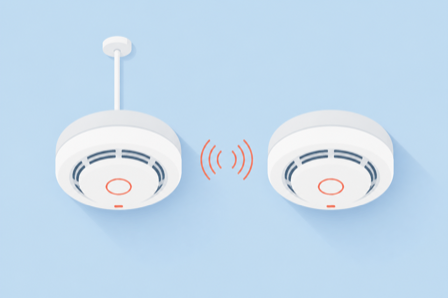
The point of interconnected smoke alarms is simple and lifesaving: when one detects smoke, every alarm in the house sounds at once, so you hear the alert in the basement even if the fire starts in an upstairs bedroom. The debate is not whether to interconnect. It is how, and for an existing home that choice usually comes down to running new wire versus pairing alarms over radio.
Hardwired interconnect links alarms through a physical wire so a signal passes down the line. Wireless interconnect does the same job over radio frequency, with no wire between units. Both satisfy the core safety goal, and modern code treats a listed wireless system as equal to a wired one. The right pick depends on whether your walls are open, how old your home is, and how much wiring work you want to take on.
The Short Version
Choose hardwired interconnect when the walls are already open, during new construction or a gut remodel, because running the interconnect wire then is cheap and permanent. Choose wireless interconnect for a finished, older home where fishing a new cable through walls and ceilings would be a major job. Wireless listed alarms meet code for retrofits, sound together like wired units, and skip the drywall work. The main catch with wireless is that the alarms generally have to be the same brand or a compatible radio family to talk to each other.
How Interconnection Works
Building codes require that when a home needs more than one smoke alarm, the alarms be linked so that triggering one triggers them all. Per the NFPA, interconnected alarms mean that when one sounds, they all sound, which buys critical seconds when a fire starts far from where you sleep. Hardwired systems carry that trigger over a third wire, often called the traveler or interconnect wire, that runs between the alarms alongside their power. Wireless systems send the same trigger as a radio signal, so each listed alarm hears the others and joins in. The safety outcome is identical; only the messenger changes.
Hardwired vs Wireless: The Comparison
Both approaches meet the same goal, but the install work, the power source, and the brand rules differ.
| Factor | Hardwired interconnect | Wireless interconnect |
|---|---|---|
| How alarms link | A shared interconnect wire between units | Radio frequency between listed alarms |
| Retrofit effort | High: fish a 3-conductor cable through walls and ceilings | Low: mount units and pair them, little or no new wire |
| Power | 120-volt house power with battery backup | Battery, or house power, depending on model |
| Brand matching | Compatible interconnect terminals across units | Same brand or compatible radio family required |
| Adding an alarm | Wire the new unit into the loop | Pair it, within the system’s device limit |
| Permit and inspection | Often needs a permit for the new wiring | Usually simpler, but still confirm locally |
| Best for | New build or open-wall remodel | Finished or older homes |
When Each One Makes Sense
Hardwired interconnect is the natural choice when the framing is exposed. During new construction or a remodel where the drywall is off, an electrician can run the interconnect wire for very little added cost, and you end up with a permanent, powered system that does not depend on remembering radio pairings. It is also the expectation in most new residential builds.
Wireless interconnect earns its keep in the opposite situation: a finished home, especially an older one, where there is no interconnect wire in the walls and adding one would mean cutting into ceilings and patching drywall across the house. Swapping in listed wireless alarms and pairing them gets you the same all-sound behavior in an afternoon. It is also the friendlier option for a house where you want loud, linked alarms for an older relative without a renovation, a scenario homeowners raise often.
Compatibility and Code Notes
Two practical details decide whether a wireless retrofit goes smoothly. First, compatibility: wireless alarms only interconnect with units they are designed to pair with, which usually means the same brand and often the same product line, so mixing a random assortment will not work. Second, limits: unsupervised interconnect systems cap how many devices can be linked, so a very large home may need to plan around that. On the code side, a listed wireless system is widely accepted as meeting the interconnection requirement for existing homes. Washington’s building code, for example, states that physical interconnection is not required where listed wireless alarms are installed and all of them sound when one is activated. Rules still vary by location, so confirm what your local jurisdiction requires before you buy.
This is general home-safety information, not electrical or code advice. Smoke alarm requirements, permit rules, and inspection standards vary by state and local jurisdiction, and only your local building department or a licensed electrician can confirm what applies to your home. For any hardwired work, follow local electrical code and use a qualified professional, and always test alarms after installation.
Frequently Asked Questions
Do interconnected smoke alarms need to be the same brand?
For wireless interconnect, usually yes. Alarms link by radio only with units they are listed to pair with, which in practice means the same brand and often the same product family. Hardwired alarms are more flexible, since they link through a shared interconnect wire, but their interconnect terminals still need to be compatible. When in doubt, buy a matched set designed to work together rather than mixing models.
Can I add wireless interconnect to my existing hardwired alarms?
Sometimes. Some manufacturers make hardwired alarms that also carry a wireless module, letting a wired set link by radio to alarms in areas you cannot easily wire. The pieces generally have to be from the same compatible system, so check the manufacturer’s list before mixing wired and wireless units. If your current alarms do not support it, replacing the whole set with one compatible system is the cleaner path.
Do wireless interconnected smoke alarms meet code?
In most places, yes, for existing homes. Modern codes recognize a listed wireless interconnected system as equivalent to a hardwired one, as long as all alarms sound when one is triggered. That is why wireless is the common retrofit answer. New construction, though, often still requires hardwired, powered, interconnected alarms, and local rules vary, so confirm with your building department before relying on wireless alone.
How many smoke alarms can be interconnected?
There is a limit, especially for unsupervised residential systems, which cap the total number of interconnected devices and how many of those can be smoke alarms. Most homes stay well under the ceiling, but a large house with many alarms and other linked devices should plan the layout so the system does not exceed its rated limit. The manufacturer’s instructions for your specific alarms give the exact number.
Which is better for an older house, hardwired or wireless?
For a finished older house, wireless interconnect is usually the better fit, because it avoids opening walls and ceilings to run new cable. You get the same all-sound protection by pairing listed alarms. Hardwired makes more sense only if you are already doing a renovation that exposes the framing, or if local code for your project requires it. Either way, confirm the requirement with your local jurisdiction first.
Before You Buy
Decide based on your walls rather than the price tag. If the framing is open, hardwired interconnect is cheap to run and permanent. If your home is finished and older, a matched set of listed wireless alarms gives you the same linked protection without the drywall work. Whichever you choose, buy compatible units, confirm your local code, and test that every alarm sounds when you press the test button on one. For more home and safety guidance, see our Home Improvement and Family & Personal sections.