


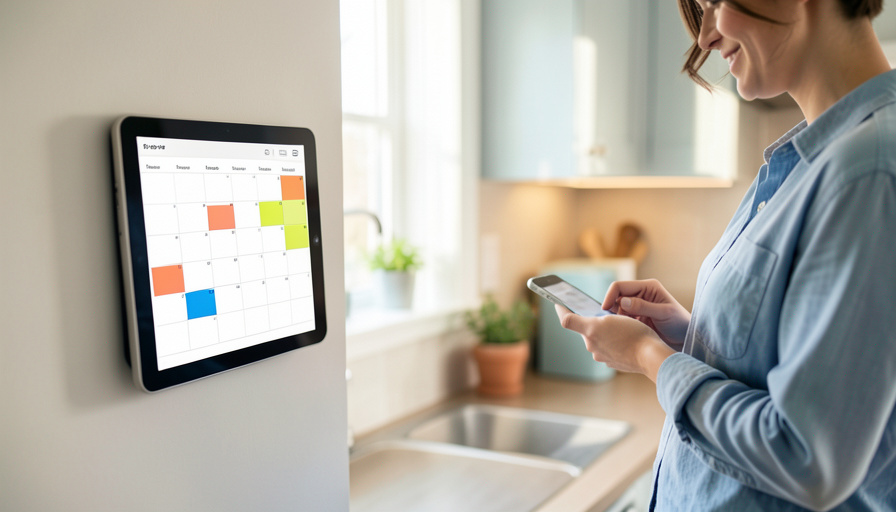
A shared family calendar is a map of your kids’ week: where they are, and when. These 12 sharing mistakes hand that map to the wrong people, and each one is fixable.
A shared calendar is one of the most useful things a busy family sets up, and one of the easiest to over-share without noticing. Between school portals, sports apps, smart speakers, and a link you sent a carpool parent two years ago, your family’s schedule quietly spreads to more eyes than you intended. The problem is what that schedule reveals: soccer at the same field every Tuesday at 5, a name and a school in an event title, a vacation that announces your house is empty. None of this requires a hacker. It just requires a few default settings you never changed. Here are the twelve most common sharing mistakes, and how to close each one.
Quick Answer
The biggest risks come from making a calendar public, which makes it searchable on the open web, and from putting identifying details into event titles, like a child’s full name, school, or a recurring activity’s exact address. Public sharing also overrides per-person limits, so “free/busy only” stops hiding anything once the calendar is public. Add lock-screen previews, smart speakers reading events aloud, and old shares nobody ever revoked, and your kids’ weekly pattern becomes easy to piece together. The fix is to keep the calendar private, invite specific people instead of posting a public link, strip identifying details out of titles, and audit who still has access.
Why a shared calendar leaks more than you think
A calendar is not just a list of times, it is a behavior pattern. Anyone who can read it learns where your child is, on which days, at what hour, and where your home sits empty. That is exactly the information you would never post publicly on purpose, yet a handful of sharing defaults can publish it for you. The good news is that fixing this is all in the settings, and none of it requires giving up the convenience of a shared family calendar.
12 family calendar sharing mistakes to fix
- Making the calendar fully public. A public Google calendar can be found through Google Search and read by anyone, as Google explains in its guide to a public calendar. Unless you truly want the world to see it, keep it private.
- Trusting “free/busy” on a public calendar. If the calendar is public, setting someone to see only free or busy does not hide your details from the wider web. Public visibility overrides that limit, so the two settings fight each other.
- Sharing a public link instead of inviting people. A link can be forwarded endlessly and cannot be un-sent. Inviting specific people by email keeps access to names you chose.
- Handing out edit or manage access. Giving a casual helper “make changes and manage sharing” lets them re-share your calendar to others. Most people only ever need “see all event details,” and many need less.
- Putting a child’s full name and school in the title. “Emma pickup, Lincoln Elementary 3pm” tells a stranger your child’s name, school, and schedule in one line. Use initials or a vague label instead.
- Listing exact addresses for recurring activities. A weekly “Tutoring, 44 Oak St, 4pm” is a standing appointment anyone with access can count on. Keep precise locations out of shared events.
- Announcing vacations in plain text. “Family vacation, July 10 to 20” is an advertisement that your home is empty for ten days. Mark travel privately or vaguely on a shared calendar.
- Leaving lock-screen event previews on. If your phone shows full event details on the lock screen, anyone who glances at it reads your family’s day. Set notifications to hide contents when locked.
- Letting a smart speaker read events aloud. A voice assistant that announces “your daughter’s recital at 6” will happily say it to any guest, babysitter, or visitor in the room. Limit calendar access on shared devices.
- Never revoking old shares. The carpool parent, the ex-nanny, the former teammate’s family: access granted once stays until you remove it. Review your sharing list a couple of times a year.
- Cramming everything into one calendar. One calendar for the whole family means everyone you share with sees all of it. Separate calendars, one shared for logistics and private ones for personal detail, let you control who sees what.
- Forwarding invites that carry the guest list. Passing along a calendar invite can expose every other guest’s email and the underlying link. Share details deliberately, not by forwarding.
How to lock it down in five minutes
You do not need to rebuild anything, just tighten what is already there. Open your calendar’s sharing settings and confirm it is not set to public. Replace any public link with direct invitations to the specific people who need it, and downgrade helpers from edit access to view-only. Scan your recurring events and strip out full names, schools, and street addresses, swapping in initials or general labels. Create a separate private calendar for anything sensitive so the shared one stays logistics-only. Finally, set your phone to hide event details on the lock screen and check what your smart speaker is allowed to read. Do this once and revisit it seasonally.
Frequently Asked Questions
Is it safe to share a family calendar at all?
Yes, when you share it deliberately. Invite specific people by email rather than posting a public link, give them view-only access, and keep identifying details out of event titles. The convenience is fine; the risk comes from public settings and oversharing details.
Does “free/busy only” hide my events?
Only if the calendar itself is private. If you have made the calendar public, its details can still be found on the open web regardless of an individual’s free/busy setting. Keep the calendar private first, then manage per-person permissions.
What should I never put in a shared calendar event?
Avoid a child’s full name paired with a school, exact home or activity addresses, and explicit vacation dates. Those turn a schedule into a map of where your child is and when your house is empty. Use initials and general labels instead.
How do I check who can see my calendar?
Open your calendar’s sharing or access settings and review the list of people and links with access. Remove anyone who no longer needs it, and replace public links with direct invitations. Do this review a couple of times a year to catch permission creep.
Can a smart speaker expose my family’s schedule?
Yes. A voice assistant linked to your calendar will read event details aloud to whoever is in the room, including guests and sitters. Limit which calendars shared devices can access, or keep sensitive events on a calendar the speaker cannot read.
Should each family member have their own calendar?
It helps. Keeping a shared calendar for family logistics and separate private calendars for personal details lets you control exactly what each person, and each guest, can see. It is the simplest way to avoid oversharing everything at once.
Practical Takeaway
A shared family calendar should make your week easier without broadcasting your kids’ whereabouts. Treat it like what it is, a schedule that reveals patterns, and the fixes are quick: keep it private, invite specific people instead of posting a link, and strip names, schools, and addresses out of the events themselves. Split sensitive items onto a private calendar, hide details on your lock screen, and prune old access every so often. Five minutes of settings today closes the gaps that a public link or a stray event title would otherwise leave open for months. For more on protecting your household, see what an unrequested password reset email is warning you about and how to report an online scam to the FTC. The Administration for Children and Families also offers guidance on protecting your family’s privacy online.